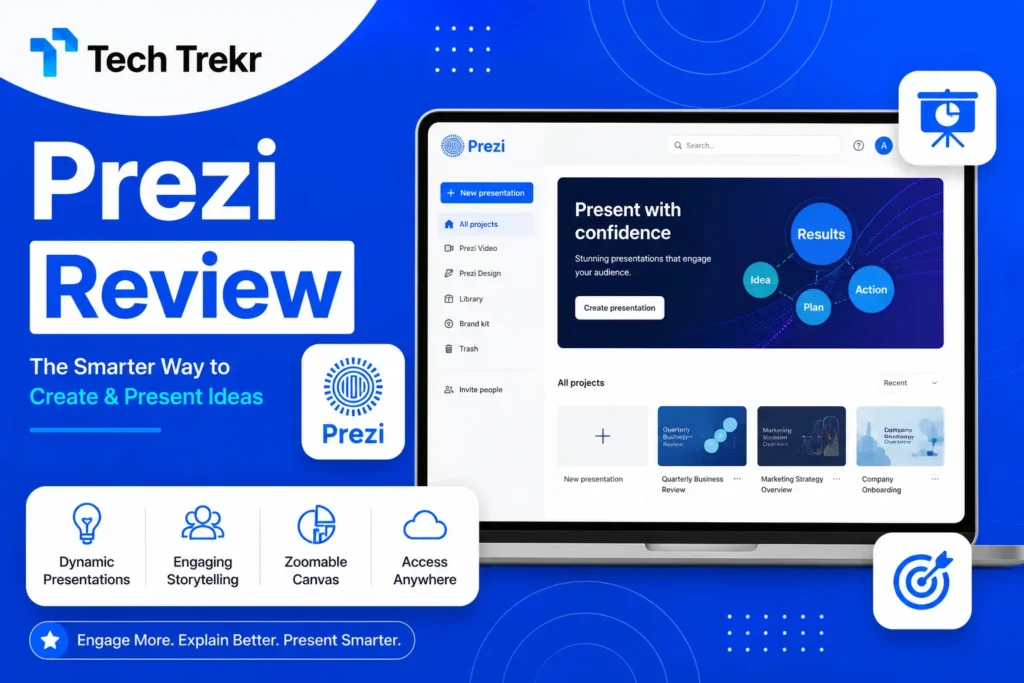
Prezi Guide 2026: Features, Pricing & How to Use Easily
What Is Prezi?
Prezi is a cloud-based presentation platform that helps users create dynamic, interactive, and visually engaging presentations. Unlike traditional slide-by-slide presentation software. Prezi uses a zooming canvas that allows presenters to move smoothly between topics, making presentations more memorable and engaging. Whether you are a student, teacher, business owner, marketer or corporate professional. Prezi helps you communicate ideas more effectively through motion, storytelling, and visual design.
Why Is Prezi So Popular in 2026?
The way people present ideas has changed dramatically. Audiences no longer enjoy static slides filled with text. They expect presentations that are interactive, visually appealing, and easy to follow. Prezi has become one of the most popular presentation tools because it transforms ordinary presentations into engaging visual stories.
Today, professionals in the USA use Prezi for corporate meetings, client pitches, webinars, and online training. In Pakistan, students, educators, freelancers, startups, and digital agencies are increasingly using. Prezi for academic projects, business proposals, and marketing presentations. Its cloud-based accessibility and collaborative features make it an excellent choice for remote teams and hybrid workplaces.
What Is Prezi Used For?
Prezi is designed for a wide range of presentation needs. Instead of limiting users to traditional slides. It allows them to build visual journeys that keep audiences engaged. Common uses include:
Business Presentations
Companies use Prezi for:
- Sales presentations
- Product demonstrations
- Investor pitches
- Business proposals
- Team meetings
- Employee onboarding
- Training sessions
Its dynamic transitions help presenters explain complex ideas simply and engagingly.
Education
Teachers and students use Prezi to create:
- Classroom presentations
- Research projects
- Educational lessons
- Science reports
- History presentations
- Online lectures
- Interactive learning materials
Because of its visual approach, students often find Prezi presentations easier to remember than traditional slide decks.
Marketing
Marketing professionals use Prezi to showcase:
- Marketing strategies
- Campaign reports
- SEO performance
- Social media analytics
- Client presentations
- Digital marketing proposals
Interactive storytelling makes data more compelling and easier to understand.
Freelancing
Freelancers frequently use Prezi to:
- Present portfolios
- Pitch services
- Impress potential clients
- Deliver project reports
- Conduct virtual meetings
For freelancers in Pakistan and the USA, a visually polished presentation can help build trust and win more projects.

Key Features of Prezi
One of the biggest reasons for Prezi’s popularity is its feature-rich platform.
Zooming User Interface
Unlike traditional presentation software, Prezi uses one large canvas. Instead of moving through numbered slides, presenters zoom into different sections of the presentation. This creates a storytelling effect that keeps audiences interested.
Ready-to-Use Templates
Prezi includes hundreds of professionally designed templates for different industries. Examples include:
- Business
- Marketing
- Education
- Healthcare
- Finance
- Technology
- Sales
- Project Management
Users can customize these templates without advanced design skills.
AI-Powered Presentation Creation
Prezi now includes AI features that help users:
- Generate presentation ideas
- Improve content structure
- Create layouts
- Suggest designs
- Save editing time
This is especially useful for busy professionals who need presentations quickly.
Cloud-Based Access
Since Prezi works online, users can:
- Access presentations from any device
- Continue editing anywhere
- Share presentations instantly
- Collaborate with team members
There’s no need to carry presentation files on a USB drive.
Real-Time Collaboration
Teams can work on the same presentation simultaneously. This feature is particularly valuable for:
- Remote teams
- Marketing agencies
- Educational institutions
- Corporate organizations
It reduces revision time and improves productivity.
Video Presentation Mode
One of Prezi’s standout features is the ability to create video presentations.
Users can:
- Present while appearing on screen
- Record presentations
- Conduct webinars
- Teach online classes
- Deliver virtual business meetings
This feature has become increasingly popular with remote work and online education.
How Does Prezi Work?
Using Prezi is simple, even for beginners.
Step 1: Create an Account
Sign up using your email address or another supported login option.
Step 2: Choose a Template
Browse from hundreds of templates based on your presentation type.
Step 3: Add Content
Insert:
- Text
- Images
- Videos
- Charts
- Icons
- Graphics
- Links
Step 4: Organize Your Story
Instead of arranging slides, organize ideas into sections on a visual canvas.
This makes the presentation feel more like a connected story than a series of disconnected slides.
Step 5: Present or Share
When finished, users can:
- Present live
- Share a presentation link
- Download supported versions (depending on the plan)
- Record presentations
- Collaborate with others online
Who Should Use Prezi?
Prezi is suitable for almost anyone who needs to communicate ideas clearly. It is especially useful for:
- Students
- Teachers
- Business owners
- Startups
- Sales professionals
- Marketing agencies
- SEO experts
- Consultants
- Corporate teams
- Freelancers
- Public speakers
- Trainers
Its flexibility makes it a practical presentation solution across many industries.
Benefits of Using Prezi
Choosing the right presentation software can improve how your ideas are received. Prezi offers several advantages that appeal to both beginners and experienced professionals.
Some of the biggest benefits include:
- More engaging than traditional slides
- Interactive storytelling experience
- Easy collaboration with teams
- Cloud-based accessibility
- Professional templates
- AI-assisted presentation creation
- Video presentation support
- Easy sharing through links
- Suitable for business and education
- Works well for online meetings
Prezi Pricing Plans
One of the first questions people ask. Is Prezi free? The answer is yes, but with some limitations. Prezi offers several plans designed for different types of users, from students and teachers to businesses and large organizations.
Free Plan
The free version is ideal if you are just getting started. It allows you to:
- Create presentations online
- Use basic templates
- Share presentations with others
- Access your work from any device
However, some advanced features, premium templates, offline access, and branding options are only available in paid plans.
Paid Plans
For users who need more flexibility, Prezi offers premium plans that may include:
- AI-powered presentation tools
- Premium templates
- Offline presentation mode
- Privacy controls
- Brand customization
- Analytics
- Team collaboration
- Video presentation features
- Priority customer support
If you regularly create presentations for work, education, or clients, a paid plan can be a worthwhile investment.
Pros and Cons of Prezi
Like every presentation tool, Prezi has strengths and limitations.
Pros
- Interactive zooming presentations
- Modern and professional design
- Easy cloud access
- Excellent collaboration features
- AI-powered content assistance
- Great for storytelling
- Works well for remote meetings
- Suitable for students and businesses
- Large collection of templates
- Supports multimedia content
Cons
- Learning curve for first-time users
- Internet connection required for most features
- Advanced tools require a paid subscription
- Overusing animations can distract audiences
- Less suitable for highly technical slide-based presentations
Prezi vs PowerPoint vs Canva
Choosing the right presentation software depends on your goals.
Feature |
Prezi |
PowerPoint |
Canva |
| Presentation Style | Zooming Canvas | Traditional Slides | Modern Slides |
| Ease of Use | Easy | Easy | Very Easy |
| Collaboration | Excellent | Good | Excellent |
| Templates | Large Library | Large Library | Huge Collection |
| AI Features | Yes | Yes | Yes |
| Online Access | Yes | Yes | Yes |
| Offline Support | Paid Plans | Yes | Limited |
| Best For | Storytelling | Corporate Slides | Social & Business Designs |
Choose Prezi if:
- You want presentations that stand out.
- You enjoy visual storytelling.
- You frequently present online.
- You want engaging client presentations.
- You need interactive business pitches.
Tips for Creating Better Prezi Presentations
Even the best software cannot replace good presentation skills. Follow these tips to make your presentations more effective.
Keep Your Message Simple
Avoid adding too much information on one topic. Focus on one idea at a time.
Use High-Quality Images
Professional visuals increase audience engagement and improve understanding. Choose clear, relevant images instead of cluttered graphics.
Don’t Overuse Zoom Effects
The zoom feature is Prezi’s biggest strength, but excessive movement can confuse viewers. Use transitions only when they improve the flow of your story.
Follow a Logical Story
Structure your presentation like a journey. Start with:
- Introduction
- Problem
- Solution
- Evidence
- Conclusion
This keeps your audience interested from beginning to end.
Use Brand Colors
Businesses should match presentations with their brand identity. Using consistent fonts, colors, and logos creates a professional appearance.
Practice Before Presenting
A well-designed presentation becomes even more powerful when delivered confidently. Practice helps improve timing, transitions, and storytelling.
Common Mistakes to Avoid
Many beginners make avoidable mistakes that reduce the impact of their presentations. Avoid these common errors:
- Too much text
- Low-quality images
- Random animations
- Poor organization
- Tiny fonts
- Weak color contrast
- Reading directly from the presentation
- Skipping practice
- Overloading slides with data
- Ignoring audience engagement
Keeping your design clean and focused makes your presentation easier to understand.
Best Alternatives to Prezi
Although Prezi is a powerful platform, some users may prefer other tools depending on their needs. Popular alternatives include:
- Microsoft PowerPoint
- Canva Presentations
- Google Slides
- Keynote
- Visme
- Beautiful.ai
- Pitch
- Zoho Show
- LibreOffice Impress
- Gamma AI
Each platform offers unique strengths, so compare features before making a decision.
Is Prezi Worth Using in 2026?
Yes. Prezi remains one of the most innovative presentation platforms available. Its combination of interactive storytelling, AI-powered features, cloud collaboration, and professional templates makes it suitable for:
- Students
- Teachers
- Freelancers
- Digital marketers
- Startups
- Business owners
- Corporate professionals
- Sales teams
Whether you are delivering a classroom lesson, pitching investors, presenting SEO results, or conducting a webinar. Prezi helps make your message more engaging and memorable.
FAQS:
Is Prezi free to use?
Yes. Prezi offers a free plan with basic features. Premium plans unlock advanced tools, templates, offline access, and collaboration options.
Is Prezi better than PowerPoint?
Prezi is ideal for interactive storytelling and visually engaging presentations, while PowerPoint is better suited for traditional slide-based presentations. The best choice depend on your needs.
Can students use Prezi?
Absolutely. Students can use Prezi for assignments, research projects, class presentations, and online learning. It is especially useful for creating visually engaging educational content.
Does Prezi work offline?
Offline access is available with certain paid plans. The free version is primarily cloud-based and requires an internet connection for most features.
Can teams collaborate on Prezi?
Yes. Multiple users can edit and collaborate on the same presentation in real time, making it a great option for remote teams and organizations.