Dora AI: Features, Pricing, Uses & Complete Guide
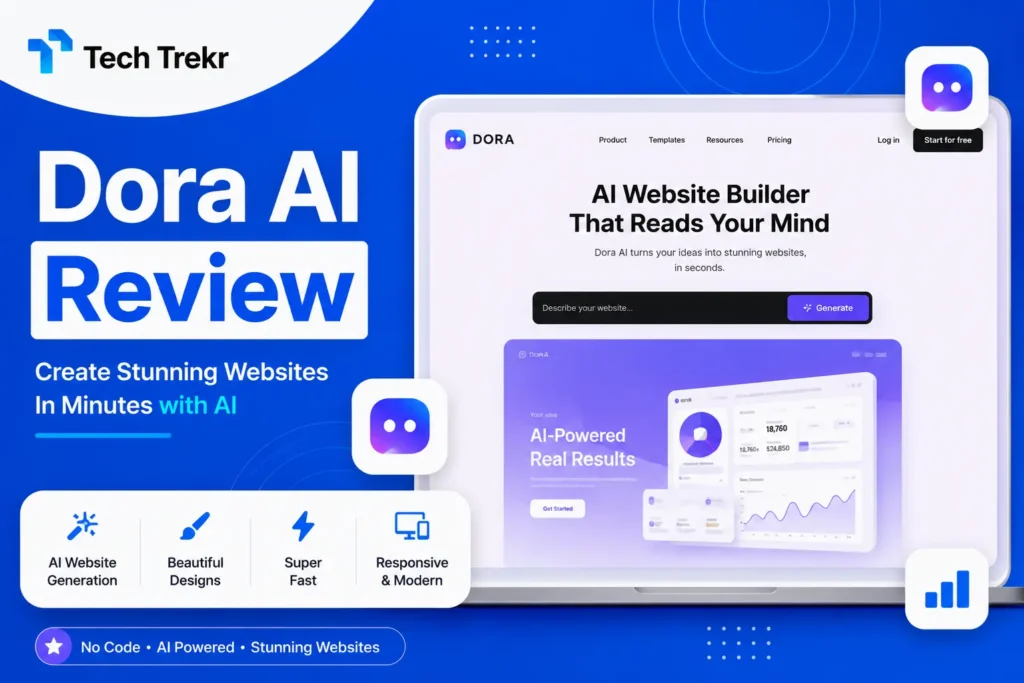
Dora AI: Features, Pricing, Uses & Complete Guide
AI is changing the way people create websites. Instead of spending days learning complicated design tools or writing code. Users can now use AI-powered platforms to build attractive digital experiences faster. Dora AI is one such platform designed for people who want to create visually impressive and interactive websites with a more creative approach.
Whether you are a beginner, freelancer, designer, startup owner, or business professional in the USA or Pakistan. Dora AI can help you explore a modern approach to website creation. Its focus on AI-assisted design, responsive layouts, animations, and visually rich experiences makes it an interesting option for creative web projects.
But is Dora AI suitable for everyone? How does it work, what features does it offer, and is it worth using for your next website project? This guide explains everything you need to know.
What Is Dora AI?
Dora AI is an AI-powered website creation and design platform that helps users generate and customize visually rich websites. It combines AI-assisted website generation with a visual design workflow. This allows users to create modern web experiences without depending entirely on traditional coding methods.
One of its main attractions is its focus on creative and interactive websites. Instead of limiting users to basic layouts, Dora is designed for projects where visual storytelling, animations, responsive design, and unique presentation are important.
For example, a startup could use Dora to create a product landing page, while a designer might use it to build a portfolio that demonstrates their creative skills. A freelancer can also explore it as another tool for delivering modern websites to clients.
How Does Dora AI Work?
Dora AI is designed to simplify the website creation process by combining artificial intelligence with visual editing and customization.
The general workflow is straightforward:
- Start a new project on the platform.
- Use AI-assisted features to generate an initial website concept.
- Describe the type of website or design you want.
- Review the generated layout and content structure.
- Customize colors, typography, images, branding, and other visual elements.
- Adjust the design for different screen sizes.
- Add interactive elements, animations, or 3D experiences where appropriate.
- Test the website before publishing.
Key Features of Dora AI
AI-Assisted Website Generation
One of Dora AI’s most interesting capabilities is its AI-assisted approach to website creation. Instead of beginning every project from an empty canvas, users can use prompts and AI tools to speed up the initial design process.
This can be particularly useful when you need to quickly create a concept, landing page, or visual starting point. For freelancers and agencies, AI-assisted generation may also reduce the time spent on repetitive early-stage design work.
Responsive Web Design
A modern website needs to work well across different devices. Visitors may access a site using a desktop computer, laptop, tablet, or smartphone. Dora focuses on responsive website experiences, allowing creators to consider how their designs appear across different screen sizes.
This is important for both USA and Pakistan audiences because mobile browsing is a major part of modern internet usage. However, users should still manually test their websites on multiple devices.

Visual and Branding Customization
A website should represent the identity of a business or individual. Dora AI allows creators to customize the visual appearance of their projects rather than simply relying on generic designs.
Users can work with elements such as:
- Colors
- Typography
- Layouts
- Images
- Branding
- Visual hierarchy
- Page sections
3D Website Capabilities
Traditional websites often follow familiar layouts with standard sections and navigation. Creative projects, however, may benefit from 3D objects, immersive visuals, and interactive elements. Dora can be appealing for users who want to experiment with these experiences.
For example, a creative studio could build an interactive portfolio, while a product company could use visual effects to present a product more engagingly. However, 3D content should be used carefully. Excessive visual effects can increase complexity and potentially affect website performance.
Advanced Animations
Animations can make a website feel more dynamic and engaging. Dora is particularly interesting for projects where movement and interaction are part of the overall design concept.
Animations can be useful for:
- Product presentations
- Creative portfolios
- Startup landing pages
- Brand storytelling
- Interactive campaigns
No-Code and Visual Design Workflow
Dora’s visual approach can be useful for people who want to focus on design without writing every element manually through traditional code.
This makes the platform potentially attractive to:
- Beginners
- Designers
- Freelancers
- Marketing professionals
- Creative agencies
However, “no-code” does not mean that every website project will require no technical knowledge. Complex websites may still involve considerations related to performance, SEO, accessibility, integrations, and content management.
How to Create a Website With Dora AI
If you are new to Dora AI, you can follow a simple workflow.
Step 1: Create an Account
Start by accessing the platform and creating your account.
Step 2: Start a New Project
Choose the option to begin creating a new website or design project.
Step 3: Use AI Features
Describe the website you want to create. Your prompt should provide useful information about the industry, target audience, visual style, and purpose.
For example, instead of writing:
“Create a website.”
You could describe:
“Create a modern landing page for a Pakistani digital marketing agency targeting small businesses, using a professional technology-focused visual style.”
A detailed prompt can provide better context for the desired design direction.
Step 4: Review the Generated Design
AI-generated results should always be reviewed. Check the structure, text, images, spacing, and overall visual hierarchy.
Step 5: Customize Your Website
Add your logo, brand colors, fonts, images, and business information.
Step 6: Optimize for Different Devices
Check the design on desktop, tablet, and mobile screens.
Step 7: Add Interactive Elements
If your project needs animations or 3D features, add them where they improve the user experience.
Step 8: Test and Publish
Before publishing, check navigation, links, readability, performance, and mobile usability.
Who Should Use Dora AI?
Dora AI may be particularly useful for people who value creative website design.
Designers
Designers can explore unique layouts and visually rich experiences for portfolios and creative projects.
Freelancers
Freelancers in the USA and Pakistan can explore Dora as an additional tool for offering modern website design services to clients.
Startups
Startups can use visually engaging landing pages to introduce new products, services, or ideas.
Small Businesses
Small businesses that want a more creative online presence may find the platform interesting, especially for promotional websites and landing pages.
Creative Agencies
Agencies can experiment with interactive designs for branding campaigns and client projects.
Dora AI Pros and Cons
Pros
- AI-assisted website creation
- Creative visual design approach
- Responsive design capabilities
- Support for visually rich experiences
- 3D and animation-focused possibilities
- Useful for creative portfolios and landing pages
- Can help speed up early design workflows
Cons
- AI-generated designs may require manual editing
- Advanced creative features may have a learning curve
- Highly complex projects may require additional technical expertise
- Excessive animations can affect usability and performance
- Pricing and available features may change as the platform develops
Is Dora AI Free?
Dora’s pricing and availability can change as the platform evolves. The platform has offered free access to some AI capabilities, while different plans and features may be available depending on the project and account requirements. Before starting a commercial project, users should check the latest official pricing and plan details.
For freelancers and small businesses in Pakistan, cost is often an important consideration. For USA-based startups and agencies, the decision may depend more on features, scalability, collaboration, and the type of client project being developed. Therefore, instead of choosing a platform only because it is free or inexpensive, compare its available features with your actual requirements.
Dora AI Use Cases
Dora AI can be explored for different types of projects.
Business Websites
Businesses can create websites that present their services, brand story, and company information.
Landing Pages
Marketing teams can use creative landing pages for campaigns, product launches, and lead generation.
Portfolio Websites
Designers, developers, photographers, and creative professionals can use visually interesting layouts to showcase their work.
Startup Websites
Startups can create a digital presence for introducing their products and communicating their value proposition.
Freelancer Projects
Freelancers can explore Dora when creating custom website experiences for clients who want something different from a standard template.
Dora AI vs Traditional Website Builders
The right choice depends on your project. Traditional platforms may be better when you need a straightforward business website with familiar templates and established content management features. Dora AI may be more appealing when your priority is visual creativity, interactive design, animations, or 3D experiences.
Before choosing a platform, consider:
- Website purpose
- Budget
- SEO requirements
- Performance
- Mobile responsiveness
- Design flexibility
- Content management
- Integrations
- Technical skills
Is Dora AI Good for SEO?
Dora AI can be considered for SEO-focused projects, but no website builder automatically guarantees high Google rankings.
SEO success depends on multiple factors, including:
- High-quality content
- Search intent alignment
- Keyword targeting
- Website performance
- Mobile usability
- Technical SEO
- Internal linking
- Backlinks
- User experience
- Search engine guidelines
If you use Dora for a business website, make sure the site has clear content, descriptive page titles, useful headings, optimized images, strong internal linking, and a good mobile experience. For USA and Pakistan audiences, also consider local SEO if your business serves a specific city or region.
FAQS
What is Dora AI?
Dora AI is an AI-powered website creation and design platform focused on helping users build visually rich and interactive web experiences.
Is Dora AI free?
Dora has offered free access to certain features, but pricing and available plans can change. Users should check the official pricing information before starting a project.
Can Dora AI create a website from text?
Dora AI provides AI-assisted website generation capabilities that can help users turn written instructions into website concepts and designs.
Does Dora AI require coding?
Dora is designed around a visual and no-code-oriented workflow, making it accessible to users who do not want to write traditional code for every design element. However, complex projects may still require technical knowledge.
Is Dora AI good for beginners?
It can be a useful option for beginners interested in creative website design, although users may need some time to understand advanced visual, animation, and interactive features.