
Claude AI Guide: Features, Pricing & How It Works (2026)
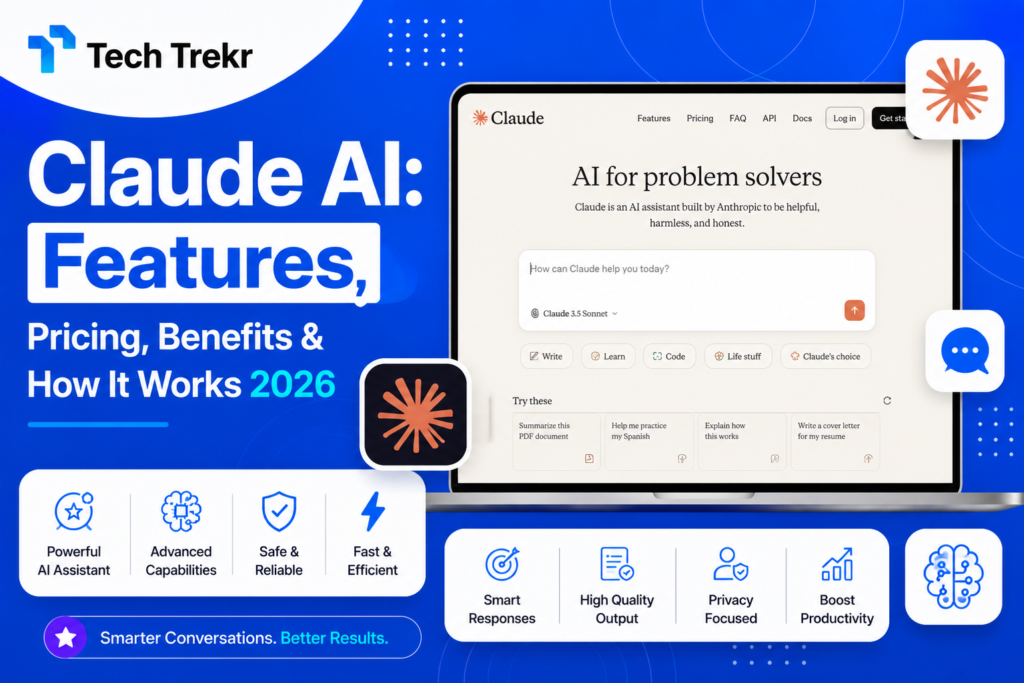
Claude AI: Features, Pricing, Benefits & How It Works 2026
Artificial intelligence is changing the way people work, learn and communicate. From writing blog posts and generating code to summarizing lengthy reports. AI assistants have become valuable tools for individuals and businesses alike. Among the leading AI assistants available today. Claude AI has earned a strong reputation for its ability to understand context. Generate high-quality responses, and assist with complex tasks.
Whether you are a student in Pakistan preparing assignments, a freelancer writing SEO content, or a business owner in the USA looking to improve productivity. Claude AI offers features designed to save time and simplify everyday work. In this guide, you’ll discover what Claude AI is, how it works, its key features, pricing, practical use cases. Whether it is the right AI assistant for your needs.
What Is Claude AI?
Claude AI is an advanced conversational AI assistant built to help users complete a wide range of tasks through natural language. Instead of relying on traditional keyword-based searches, Claude understands questions in context and provides detailed, conversational answers.
You can ask Claude to write articles, summarize documents, explain technical concepts, and generate programming code. Brainstorm ideas, translate languages, and even analyze large files. Its ability to process long conversations and maintain context makes it especially useful for professionals and researchers working with complex information.
Unlike basic chatbots, Claude focuses on producing responses that are clear, helpful, and easy to understand. This makes it suitable for beginners while still offering enough capability for experienced users.
How Does Claude AI Work?
Claude AI uses a large language model trained on a broad range of publicly available information and carefully designed datasets. By recognizing patterns in language, it can predict and generate human-like responses based on the user’s prompt.
A simple overview of how it works:
- You enter a prompt or question.
- Claude analyzes the meaning and context.
- It generates a response using its language model.
- You can continue the conversation with follow-up questions, and Claude remembers the context to provide more relevant answers.
This conversational approach makes Claude useful for tasks that require multiple revisions, detailed explanations, or collaborative problem-solving.
Key Features of Claude AI
Claude AI includes a variety of features that support productivity across different industries.
Natural Conversations
Claude understands everyday language, allowing users to interact naturally without needing technical commands.
Long Document Analysis
One of Claude’s standout strengths is handling lengthy documents. Users can upload reports, PDFs, contracts, research papers, or meeting notes and receive concise summaries or detailed insights.
Content Creation
Writers, marketers, and bloggers use Claude to draft articles, create social media posts, develop email campaigns, and generate creative ideas while maintaining a consistent tone.
Coding Assistance
Developers can ask Claude to write code, explain programming concepts, debug errors, and suggest improvements across various programming languages.
Research Support
Students and researchers can simplify complex topics, organize information, and generate structured outlines for assignments and projects.
Business Productivity
Businesses use Claude to prepare reports, analyze information, create presentations, draft customer communications, and streamline repetitive tasks.

Benefits of Using Claude AI
Claude AI is designed to improve productivity for individuals and businesses. Whether you are a beginner or an experienced professional, it can help you complete tasks more efficiently.
1. Saves Time
Claude can generate emails, articles, summaries, and reports within minutes, reducing the time spent on repetitive work.
2. Improves Writing Quality
From blog posts to business proposals, Claude helps users create well-structured, readable, and engaging content.
3. Handles Complex Information
Unlike many traditional chatbots, Claude can process long documents and maintain context across extended conversations, making it useful for research and analysis.
4. Supports Learning
Students can use Claude to simplify difficult concepts, create study notes, and prepare for exams with clear explanations.
5. Boosts Workplace Productivity
Businesses can automate routine tasks such as drafting emails, preparing reports, brainstorming ideas, and organizing information.
Claude AI Pricing
Claude offers both free and paid options, allowing users to choose a plan based on their needs.
Free Plan
The free version is suitable for everyday tasks such as:
- Writing content
- Brainstorming ideas
- Answering questions
- Basic coding assistance
- Learning and research
Paid Plan
The premium plan provides additional benefits, including:
- Higher usage limits
- Faster responses
- Access to more advanced AI models
- Improved performance for demanding tasks
- Better support for professional workflows
For businesses and developers, API access may also be available depending on the selected plan.
Claude AI vs ChatGPT
Choosing between Claude AI and ChatGPT depends on your goals. Both are powerful AI helpers, but they have different strengths.
| Feature | Claude AI | ChatGPT |
| Natural Conversations | Excellent | Excellent |
| Long Document Support | Excellent | Excellent |
| Content Writing | Excellent | Excellent |
| Coding Assistance | Very Good | Excellent |
| Research & Analysis | Excellent | Excellent |
| Business Productivity | Excellent | Excellent |
| Creative Writing | Very Good | Excellent |
| Ease of Use | Very Easy | Very Easy |
If your primary focus is document analysis and structured writing, Claude is a strong choice. If you need a broader ecosystem of tools and integrations. ChatGPT may better suit your workflow.
Who Should Use Claude AI?
Claude AI is suitable for many different users.
Students
- Research assignments
- Study notes
- Essay writing
- Exam preparation
Freelancers
- Client communication
- Proposal writing
- SEO content
- Marketing copy
Content Writers
- Blog articles
- Website content
- Product descriptions
- Social media captions
Digital Marketers
- Campaign ideas
- Keyword research assistance
- Content planning
- Email marketing
Developers
- Code generation
- Debugging
- Documentation
- Learning programming concepts
Businesses
- Customer support drafts
- Internal documentation
- Meeting summaries
- Workflow automation
Best Ways to Use Claude AI
To get the most value from Claude AI, follow these practices:
- Write clear and specific prompts.
- Include relevant context in your requests.
- Break complex tasks into smaller steps.
- Review AI-generated content before publishing.
- Use follow-up questions to refine responses.
- Combine Claude with your own expertise for the best results.
Pros and Cons
Pros
- Easy-to-use interface
- High-quality writing assistance
- Excellent document analysis
- Strong contextual understanding
- Helpful for education and business
- Supports coding and research
- Suitable for beginners and professionals
Cons
- Some advanced features require a paid plan.
- AI-generated responses should always be fact-checked.
- Availability of qualities vary by region or account type.
Why Choose Claude AI?
Claude AI is one of the most popular AI assistants available today. It helps students, freelancers, professionals, developers, and businesses complete tasks faster and more easily. You can use it for writing, coding, research, document summaries, and many other everyday tasks.
Whether you are a freelancer in Pakistan creating SEO content or a business owner in the USA looking to improve productivity. Claude AI can save you time and make your work easier. Simply give clear instructions, review the results, and add your own ideas for the best outcome.
As AI technology continues to grow, tools like Claude AI are becoming more useful in education, business, marketing, software development, and content creation. Learning how to use AI effectively can help you stay ahead in today’s digital world.
Is Claude AI Worth Using?
Claude AI is more than just a chatbot. It is a smart AI assistant that helps with writing, coding, learning, research, and business tasks. Its user friendly interface and powerful features make it a great choice for beginners and professionals.
If you are looking for an AI tool to improve your productivity, create quality content, or simplify your daily work. Claude AI is definitely worth trying. It offers practical features that can help you work faster, save time, and achieve better results.
FAQS
What is Claude AI?
Claude AI is an advanced conversational AI assistant that helps users write, research, summarize, analyze documents, generate code, and complete many productivity tasks.
Is Claude AI free?
Yes. Claude offers a free version with core features. Paid plans provide higher limits and access to additional capabilities.
Who created Claude AI?
Claude AI was developed by Anthropic, an artificial intelligence company focused on building helpful and reliable AI systems.
Can Claude AI write blog posts?
Yes. Claude can generate blog posts, articles, website copy, product descriptions, and other types of written content.
Is Claude AI good for coding?
Yes. Claude can explain code, write programs, debug errors, and assist with software development in multiple programming languages.
Can Claude AI summarize PDFs?
Yes. Claude can help summarize lengthy documents and extract key information from supported files.
Is Claude AI suitable for businesses?
Yes. Businesses use Claude for customer communication, documentation, brainstorming, reporting, and workflow support.
Is Claude AI better than ChatGPT?
There is no single “best” AI assistant. Claude excels in long-form document handling and contextual conversations. ChatGPT offers a broad set of capabilities and integrations. The right choice depends on your specific needs.