
Text Blaze: Features, Pricing & How It Works in 2026
Text Blaze: Features, Pricing & How It Works in 2026
Typing the same email, customer reply, sales message, or business information again and again can quietly consume hours every week. This is especially frustrating for professionals who spend most of their day communicating online.
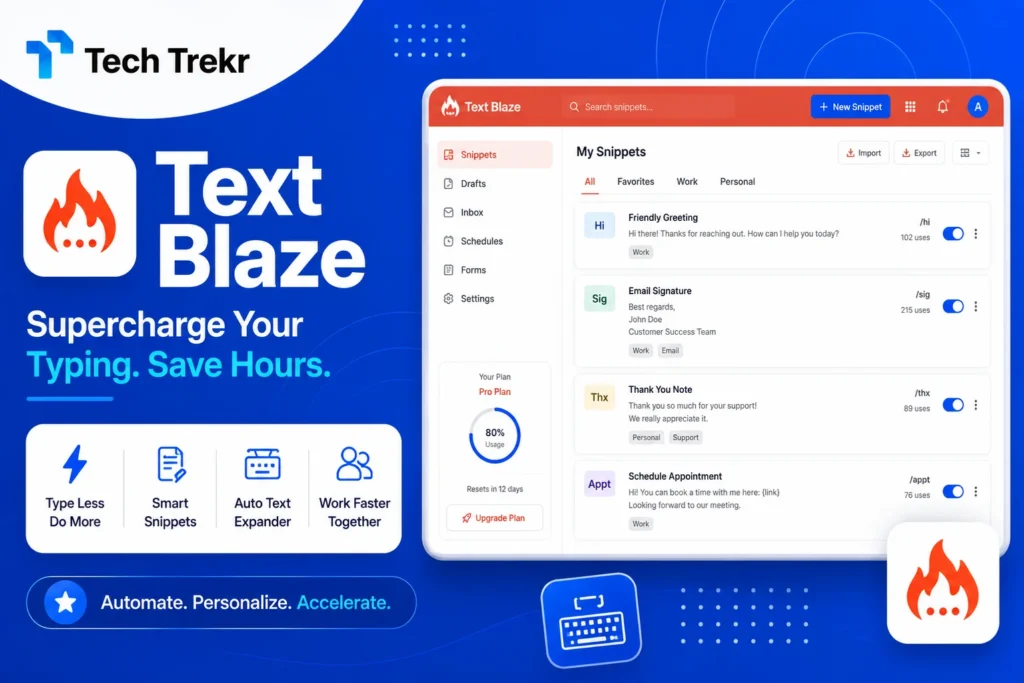
Text Blaze is designed to solve this problem by turning short keyboard shortcuts into longer, reusable text snippets. Instead of manually writing the same response every time, you can create a shortcut and use it whenever you need the saved content.
What Is Text Blaze?
Text Blaze is a text expansion and productivity tool that helps users create reusable snippets and insert them quickly using keyboard shortcuts. The basic concept is simple: you write something once, save it as a snippet, assign it a shortcut, and reuse it whenever necessary.
However, Text Blaze goes beyond simple copy-and-paste. Depending on the plan and workflow, users can create templates with elements such as forms, dynamic rules, and other structured features. This means a single template can potentially be adapted for different situations instead of maintaining dozens of nearly identical messages.
According to Text Blaze’s official pricing information, its plans include Free, Pro, Business, and Enterprise options. The current Pro plan is listed at $2.99 per month when billed yearly or $3.49 monthly. While Business is listed at $6.99 per user per month when billed yearly or $8.39 monthly. Enterprise pricing is customized.
Why Are People Searching for Text Blaze?
The growing interest in text expansion tools comes from a very common workplace problem: repetitive communication. Consider a customer support representative who answers 50 similar questions every day. A freelancer who repeatedly sends proposals, introductions, and follow-up messages.
Manually typing the same information wastes time and creates opportunities for mistakes. Text Blaze addresses this problem by allowing users to build a library of reusable snippets.
For a freelancer in Pakistan working with international clients, for example, shortcuts could be created for:
- Client introductions
- Project proposals
- Meeting confirmations
- Payment instructions
- Project updates
- Follow-up messages
A US-based business could use similar snippets for customer service, sales, internal communication, and onboarding. The real value is not simply typing faster. It is reducing repetitive work while maintaining consistency.
Key Features of Text Blaze
1. Text Expansion
The core feature is shortcut-based text expansion. You create a short trigger and connect it to a longer piece of text. When you use the shortcut, the saved content can be inserted instead of manually typing everything. This is useful for common phrases, email responses, signatures, introductions, and frequently used information.
2. Reusable Snippets
Snippets allow users to save frequently used content in an organized way. Instead of keeping templates in separate documents and copying them whenever needed, you can build a reusable collection that is easier to access. This can be particularly helpful for people who communicate with multiple customers or clients every day.
3. Forms and Dynamic Content
One of the more advanced aspects of Text Blaze is its ability to make templates more flexible. Rather than creating a separate template for every customer, you can create a reusable structure with fields that can be customized.
For example, a sales representative could have one follow-up template with fields for:
- Customer name
- Product name
- Meeting date
- Next action
This approach can make standardized communication feel more personalized. Text Blaze’s current Pro plan includes access to forms, images and tables in snippets, dynamic rules, and Data Blaze functionality.
4. Conditional Logic
For more advanced workflows, conditional rules can help a template respond differently based on selected information. Imagine a customer support template that needs different responses depending on the type of issue. Instead of keeping multiple versions of the same template, conditional logic can help structure the response around the selected situation. This moves text expansion closer to lightweight workflow automation.
5. Team Collaboration
Businesses often need employees to use consistent messaging. A sales team, for example, may want everyone to use approved product descriptions and follow-up templates. Text Blaze’s Business plan includes features such as centralized user management, roles, collaboration features, teams, default folders, and organization-wide usage reporting and analytics. This can help companies reduce inconsistent communication and make frequently used resources easier to manage.
How Does Text Blaze Work?
Getting started with Text Blaze is relatively straightforward.
Step 1: Install Text Blaze
Begin by installing the Text Blaze extension or application supported by your workflow. The official quick-start guide walks users through installing the Chrome extension and accessing the dashboard.
Step 2: Create an Account
After installation, sign in and access your Text Blaze dashboard. This is where you can create and organize your snippets.
Step 3: Create a Snippet
Choose a piece of content you frequently type. It could be:
- An email response
- A customer support message
- A sales introduction
- A professional signature
- A meeting confirmation
Save this content as a snippet.
Step 4: Add a Shortcut
Assign a memorable shortcut to the snippet.
For example:
/welcome
could represent a complete welcome message.
Step 5: Use the Shortcut
When you need the saved message, type the shortcut in a supported environment. Instead of manually entering the entire response, your saved content can be expanded.
Step 6: Personalize the Content
For more advanced templates, use fields and dynamic elements to customize information. This allows users to combine speed with personalization rather than sending exactly the same message to everyone.
Who Should Use Text Blaze?
Text Blaze may be useful for anyone who regularly types repetitive information.
Freelancers
Freelancers can create shortcuts for proposals, client onboarding, invoices, project updates, and follow-ups. This is particularly relevant for Pakistani freelancers working with clients in the USA, UK, Canada, and other international markets.
Customer Support Teams
Support agents often answer similar questions repeatedly. Reusable snippets can help agents respond faster while keeping communication consistent.
Sales Professionals
Sales representatives can create templates for outreach, follow-ups, appointment confirmations, and product explanations.
Digital Marketers
Digital marketers can use reusable templates for campaign communication, reporting, client updates, and social media workflows.
Virtual Assistants
Virtual assistants frequently manage repetitive administrative communication. Text expansion can help them save time when responding to clients and handling routine tasks.
Students and Educators
Students can use snippets for frequently typed information, while educators can create reusable feedback or communication templates.
Benefits of Text Blaze
The biggest advantage of Text Blaze is time savings. If you repeatedly type the same content, converting it into a shortcut can reduce unnecessary keystrokes.
Other potential benefits include:
- Faster communication
- Fewer typing errors
- Consistent responses
- Easier template management
- More efficient customer support
- Faster sales follow-ups
- Better workflow organization
- Reduced repetitive administrative work
For small businesses and freelancers, even saving a few minutes on dozens of repetitive tasks can add up significantly over time.

Pros and Cons of Text Blaze
Pros
- Easy concept for beginners
- Useful for repetitive typing
- Supports reusable snippets
- Advanced templates can include dynamic elements
- Helpful for customer support and sales workflows
- Free plan available
- Business collaboration features are available on higher plans
Cons
- Users who need mobile apps may find platform coverage limiting
- Advanced features require paid plans
- Teams with complex compliance requirements may need to evaluate whether the platform meets their specific needs
- Users working across many native applications should carefully check compatibility for their workflow
Platform coverage is an important consideration. Current third-party comparisons describe Text Blaze as supporting Chrome, Edge, Windows, and macOS, while noting the lack of native iOS and Android apps.
Text Blaze Pricing
Text Blaze currently offers several pricing levels.
| Plan | Price | Best For |
| Free | Free | Individuals getting started |
| Pro | $2.99/month annually | Individual productivity |
| Business | $6.99/user/month annually | Teams and small businesses |
| Enterprise | Custom | Larger organizations |
The official pricing page currently lists the Pro plan at $2.99/month billed yearly and $3.49/month billed monthly. Business is listed at $6.99/user/month billed yearly and $8.39/user/month billed monthly. Enterprise pricing is available through a custom quote. Pricing can change, so users should check the official pricing page before making a purchase decision.
Text Blaze vs. TextExpander: Which Is Better?
The answer depends on your workflow.
Text Blaze can be attractive for users who want a free starting plan and spend much of their working day in browser-based environments. Its strengths include reusable snippets, forms, dynamic rules, and browser-focused workflows.
Text Expander, on the other hand, is positioned as a broader cross-platform solution, with support across desktop and mobile platforms and more extensive team-oriented functionality. Third-party comparisons also highlight differences in platform coverage, pricing, and compliance features.
For a freelancer who mainly works in Chrome, Text Blaze may be a convenient choice. For a business that needs consistent text expansion across multiple devices and applications. It is worth comparing Text Blaze with broader cross-platform alternatives before choosing.
Is Text Blaze Worth It in 2026?
Text Blaze can be worth considering if you regularly type the same information and want a faster way to reuse it.
It is particularly relevant for:
- Freelancers
- Customer support agents
- Sales teams
- Digital marketers
- Virtual assistants
- Small businesses
- Remote workers
For users in Pakistan, it can be useful in freelance and remote-work workflows where repetitive client communication is common. For users in the USA, customer support, sales, operations, and business communication are strong potential use cases.
FAQS
1. What is Text Blaze used for?
Text Blaze is used to automate repetitive typing by allowing users to save text snippets and expand them using shortcuts. It can be useful for emails, customer support, sales messages, forms, and other recurring communication.
2. Is Text Blaze free?
Yes. Text Blaze offers a Free plan. The current paid options include Pro, Business, and Enterprise plans with additional features and capabilities.
3. How does Text Blaze save time?
Instead of manually typing the same message repeatedly, users can create a shortcut that expands into a saved template. This reduces repetitive keystrokes and can speed up routine communication.
4. Can freelancers use Text Blaze?
Yes. Freelancers can use it for proposals, introductions, client updates, follow-ups, onboarding messages, and other frequently repeated communication.
5. Is Text Blaze good for customer support?
It can be useful for customer support teams that handle similar questions repeatedly. Agents can create standardized responses and adapt templates when necessary.